Handling loading state at the component level
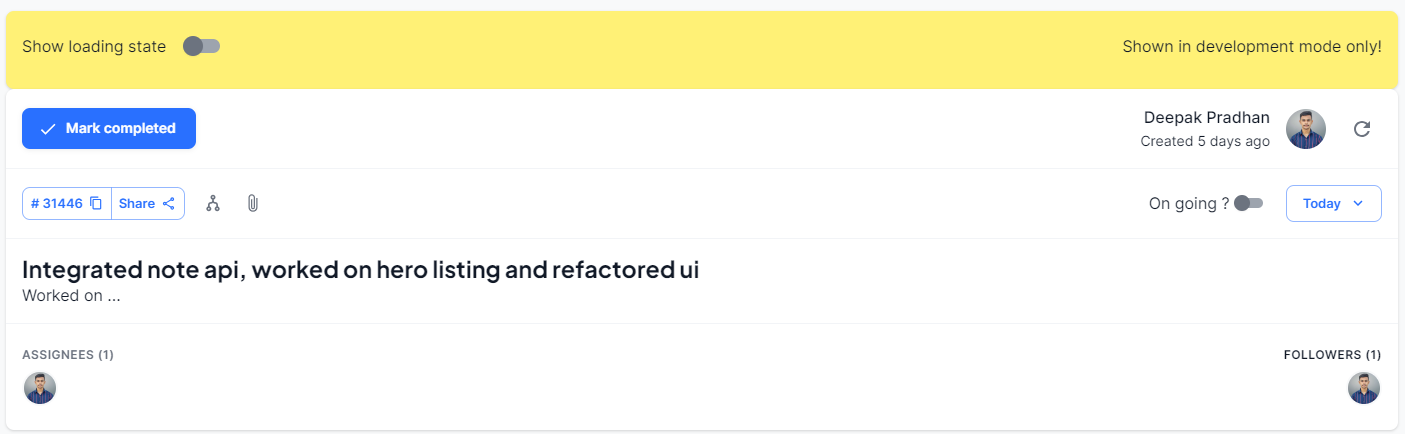
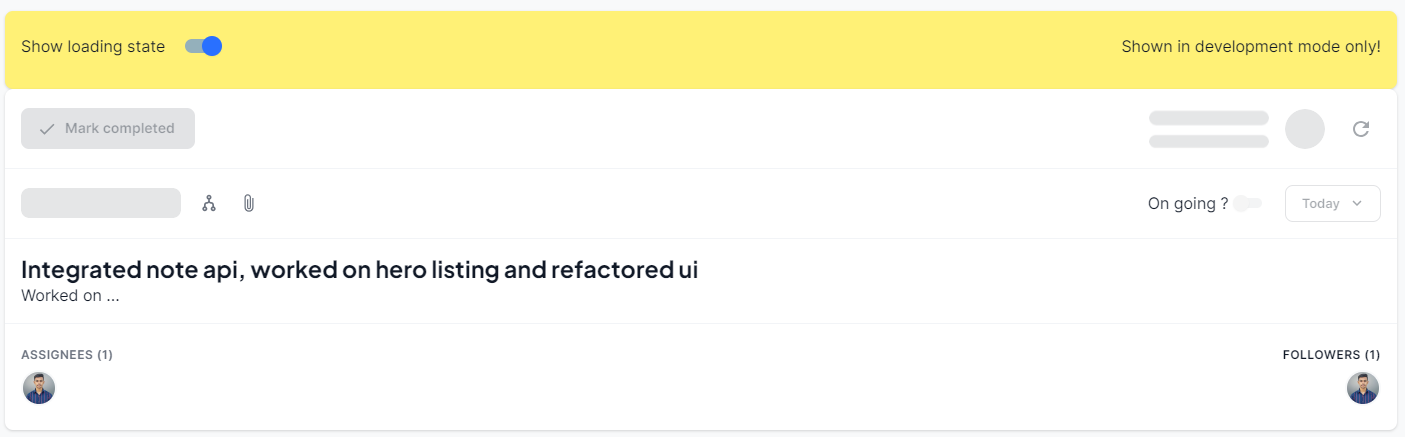
Every component you create must have a loading state, for all UI components adding skeleton is must.
Example
Refer to app\src\pages\Party\Components\TaskView\SingleTaskViewDrawer\SingleTaskView\index.jsx for a reference implementation.
Using loading state from dispatch for one component in a list
Many a times we need to show loading state in a list of components, for example in a list of sub tasks when a subtask is updated we want to show a loading state only for the selected task id, to achieve this use the following snippet.
// Sample method to set the dispatched Task Id
const reopenTask = (id) => {
    dispatch({
      type: 'tasks/setStates',
      payload: id,
      key: 'dispatchedTaskId',
    });

    dispatch({ type: 'tasks/reopenTask', payload: { pathParams: { id } } }).then((response) => {
      const taskDetails = parentTaskDetails;
      const idx = taskDetails?.subTasks.findIndex((rec) => rec.id === id);
      taskDetails.subTasks[idx].completed = false;
      updateRecord(taskDetails);
      // update the progress of the parent task.
      if (response.parentProgress) {
        setParentTaskProgress(response.parentProgress);
      }
    });
  };

// activity indicator for that task only
<ActivityIndicator loading={(completingTask || reopeningTask) && dispatchedTaskId === subtask.id}>
Loading state testing utility
There's a utility avaialble to test your loading states manually via a toggle switch in development mode, below example illustrates that. Add it to the top of your component and bind it with your loading state handler.
Once you have tested your component please remove it so it doesn't show up for other UIs in development mode.
Usage
To use the LoadingSimulator component, follow these steps:
- Import the
LoadingSimulatorcomponent from the appropriate location:
import LoadingSimulator from "@/components/LoadingSimulator";- Render the
LoadingSimulatorcomponent in your JSX and pass thesetLoadingstate as a prop. ThesetLoadingfunction is used to control the loading state of your application. Here's an example of how you can use theLoadingSimulatorcomponent:
const MyComponent = () => {
  const [loading, setLoading] = useState<boolean>(false);
  return (
      {/* Wrap your code with LoadingSimulator component and pass setLoading as a prop */}
      <LoadingSimulator setLoading={setLoading}>
        {/* Your content goes here */}
      </LoadingSimulator>
  );
};- Customize the appearance and behavior of the
LoadingSimulatorcomponent as needed.
Screenshot